Is Liquid Cooling Necessary for Gaming Pcs?
For avid gamers, the debate surrounding liquid cooling for gaming PCs has been ongoing for years. With the rise of high-performance components and the demand for optimal cooling solutions, the question remains: Is liquid cooling necessary for gaming PCs? Let’s delve into the pros and cons of liquid cooling to determine whether it’s a must-have for your gaming setup.
The Basics of Liquid Cooling Systems
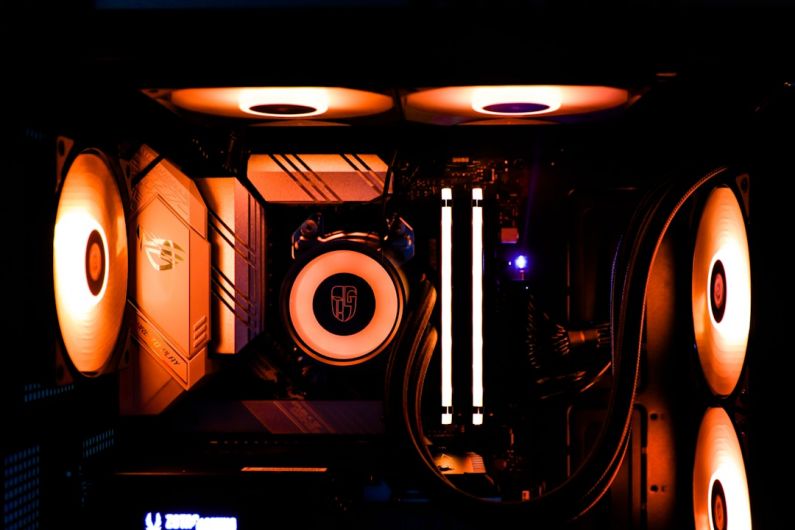
Liquid cooling systems, also known as water cooling, involve using a liquid coolant to dissipate heat generated by the components inside a gaming PC. This coolant circulates through a series of tubes and a radiator, absorbing heat and transferring it away from the hardware. While air cooling relies on fans to dissipate heat, liquid cooling offers a more efficient method of cooling by utilizing the superior heat transfer properties of liquid.
Enhanced Cooling Performance
One of the primary advantages of liquid cooling is its superior cooling performance compared to traditional air cooling solutions. Liquid coolant has a higher heat capacity and thermal conductivity than air, allowing it to absorb and dissipate heat more effectively. This results in lower operating temperatures for your components, which can lead to improved performance and longevity.
Overclocking Potential
For gamers looking to push their hardware to the limit, liquid cooling offers significant advantages when it comes to overclocking. Overclocking involves increasing the clock speed of your CPU or GPU to achieve higher performance levels. However, this also generates more heat, which can be challenging to manage with air cooling alone. Liquid cooling provides the thermal headroom needed to support overclocking, allowing you to push your hardware further without risking overheating.
Quiet Operation
Another benefit of liquid cooling is its ability to operate more quietly than air cooling solutions. Traditional CPU coolers can produce noise as they ramp up to dissipate heat, especially under heavy workloads. Liquid cooling systems, on the other hand, use quieter pump mechanisms to circulate the coolant, resulting in a quieter overall gaming experience. If you value a quieter gaming environment, liquid cooling may be the ideal solution for you.
Aesthetics and Customization
Beyond its performance benefits, liquid cooling systems offer a visual appeal that can enhance the overall look of your gaming setup. With customizable tubing, RGB lighting, and sleek water blocks, liquid cooling allows you to create a visually stunning PC that reflects your personal style. For gamers who prioritize aesthetics and want to showcase their hardware, liquid cooling provides a level of customization that is unmatched by traditional air cooling solutions.
Maintenance Considerations
While liquid cooling offers numerous advantages for gaming PCs, it’s essential to consider the maintenance requirements associated with these systems. Liquid cooling setups require periodic maintenance to ensure optimal performance, including checking coolant levels, cleaning components, and monitoring for leaks. Improper maintenance can lead to system failures or damage to your hardware, so it’s crucial to be diligent in caring for your liquid cooling system.
Cost Considerations
One of the main drawbacks of liquid cooling is its higher initial cost compared to air cooling solutions. Liquid cooling systems can be more expensive to purchase and install, requiring additional components such as a pump, radiator, and reservoir. Additionally, the complexity of liquid cooling setups may require professional installation for those not familiar with PC building. If budget is a concern, air cooling may be a more cost-effective option for your gaming PC.
Is Liquid Cooling Necessary for Gaming PCs?
In conclusion, while liquid cooling offers significant advantages in terms of cooling performance, overclocking potential, and aesthetics, it may not be necessary for all gaming PCs. If you prioritize maximum performance, quiet operation, and visual customization, liquid cooling can take your gaming experience to the next level. However, if you are on a budget or prefer a simpler cooling solution, air cooling may be sufficient for your needs. Ultimately, the decision to use liquid cooling comes down to your specific requirements and preferences as a gamer.